
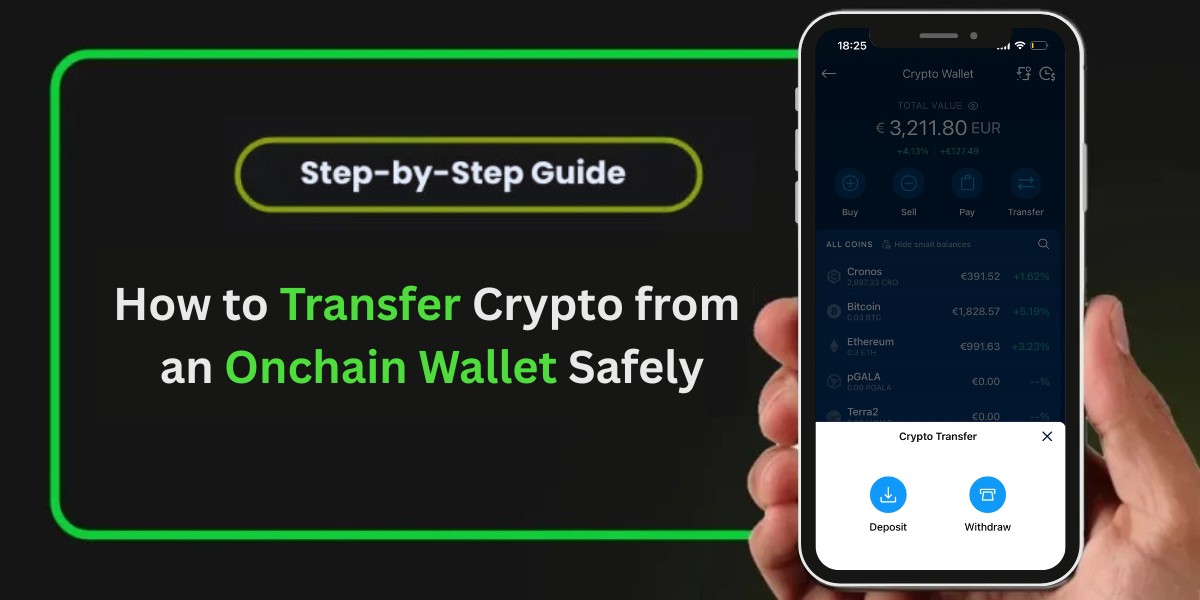
Transferring crypto from an onchain wallet means sending cryptocurrency directly on the blockchain from your wallet address to another address. Understanding how to transfer crypto from an onchain wallet correctly is essential to avoid errors, lost funds, or network issues.
In this guide, you’ll learn How to transfer crypto from an onchain wallet safely, what to check before sending, and how to avoid the most common mistakes.
Before transferring funds, it is important to understand How To Deposit Crypto Into An onchain wallet correctly to ensure your assets are already on the right network and ready to send.
What Does It Mean to Transfer Crypto from an Onchain Wallet?
Transferring crypto from an onchain wallet means sending your cryptocuressential to understand how to deposit crypto into an on-chain wallet correctly to ensure your assets are already on the correctrency directly on the blockchain from your wallet address to another address. Since onchain wallets interact directly with the blockchain, every transfer is public, irreversible, and confirmed by the network.
This type of transfer gives you full control but also full responsibility for accuracy.
Step-by-Step: How to Transfer Crypto from an Onchain Wallet
1. Open Your Onchain Wallet
Start by opening your onchain wallet app or browser extension and logging in securely. Make sure your wallet is connected to the correct network for the asset you want to transfer.
2. Select the Cryptocurrency You Want to Send
Choose the specific cryptocurrency you want to transfer (for example, ETH, BTC, SOL, or USDT). Ensure you have enough balance to cover both the transfer amount and the network fee.
3. Enter the Recipient’s Wallet Address
Carefully paste the recipient’s wallet address into the “Send” or “Transfer” field.
Important:
- Always copy and paste the address
- Double-check the first and last few characters
- Never type the address manually
A single mistake can send your funds to the wrong address permanently.
4. Choose the Correct Network
Selecting the correct blockchain network is critical. The sender and receiver must use the same network.
For example:
- ETH → Ethereum network
- SOL → Solana network
Sending crypto on the wrong network may result in lost or stuck funds.
5. Enter the Amount and Review Fees
- Enter the amount of crypto you want to transfer.
- Your wallet will display the estimated network fee.
- Higher fees usually result in faster confirmations.
- Review all details carefully before proceeding.
6. Confirm and Send the Transaction
Once everything looks correct:
- Confirm the transaction
- Approve it using your wallet’s security method
Your transfer will now be broadcast to the blockchain.
7. Track the Transaction Status
After sending, you’ll receive a transaction hash (TXID). Use a blockchain explorer to track confirmation progress. Once confirmed, the crypto will appear in the recipient’s wallet.
Once you understand how to transfer crypto from an onchain wallet, the process becomes simple and secure as long as you follow network and address verification rules.
After completing a successful transfer, you may also need to learn How To Withdraw Money From An Onchain Wallet when moving funds back to an exchange or external account.
Common Reasons Crypto Transfers Get Delayed
- High network congestion
- Low transaction fees
- Temporary blockchain issues
Most delays resolve automatically once confirmations are complete.
Safety Tips When Transferring Crypto
- Always send a small test transaction first
- Never share your private keys or recovery phrase
- Verify network compatibility before sending
- Avoid transferring during extreme network congestion
FAQs
Q1. How do I transfer crypto from an onchain wallet safely?
To transfer crypto from an onchain wallet safely, always copy and paste the recipient’s wallet address, select the correct blockchain network, and review transaction fees before confirming the transfer.
Q2. How long does it take to transfer crypto from an onchain wallet?
The time required to transfer crypto from an onchain wallet depends on the blockchain and network congestion. Some transfers complete in seconds, while others may take several minutes.
Q3. Why is my onchain wallet crypto transfer pending?
An onchain wallet transfer may remain pending due to low transaction fees, high network traffic, or temporary blockchain delays. Most pending transfers confirm once the network processes them.
Q4. Can I cancel a crypto transfer from an onchain wallet?
No, crypto transfers from an onchain wallet cannot be canceled or reversed once broadcast to the blockchain. Always verify the wallet address and network before sending funds.
Q5. What happens if I transfer crypto to the wrong onchain wallet address?
If crypto is transferred to the wrong onchain wallet address, recovery is usually not possible. This is why double-checking the address and network is critical before confirming any transaction.
For additional reference, the Crypto.com Onchain Help Documentation explains how onchain wallets interact directly with blockchain networks and process crypto transfers.
Conclusion
Knowing how to transfer crypto from an onchain wallet is essential for managing your digital assets securely. By verifying wallet addresses, selecting the correct network, and reviewing transaction details, you can transfer crypto safely and with confidence.
Always take your time and double-check every step before confirming a transaction.