The process of sending cryptocurrency to Crypto.com is a standard procedure regardless of whether you’re moving funds to a different account, paying someone or transferring funds between different platforms. For those who are new to the platform, this process may be uncertain because a single mistake – such as choosing the wrong platform can result in the loss of funds.
This guide explains how to send crypto on Crypto.com clearly, safely, and step by step. It also covers fees, network selection, common mistakes, and what to do if a transfer gets stuck or fails.
Understanding What “Send Crypto on Crypto.com” Means
When you transfer crypto to Crypto.com, you’re transferring crypto assets that you have in your Crypto.com account to another address. It could be:
- Another wallet for exchange
- A non-custodial or DeFi wallet
- A wallet that is a hardware device
- A family member or friend’s wallet
Every transaction is registered on the blockchain, which means that accuracy is essential.
Supported Cryptocurrencies and Networks on Crypto.com
Crypto.com offers a variety of blockchain and cryptocurrencies. The availability of the cryptocurrency is contingent on the currency and location.
Commonly Supported Assets
- Bitcoin (BTC)
- Ethereum (ETH)
- USDT, USDC
- BNB, SOL, MATIC
- A variety of native and ERC-20 tokens as well as native tokens
Network Support Is Important
If you wish to transfer crypto through Crypto.com, it is essential to select the right blockchain network, for example:
- ERC-20 (Ethereum)
- BEP-20 (BNB Smart Chain)
- Solana
- Polygon
- Bitcoin network
The wrong network can be one of the biggest causes of losing funds.
If you are sending crypto between different Crypto.com wallets or exchanges, Crypto.com also explains this process in detail in its official guide on depositing cryptocurrency from the Crypto.com App wallet to the exchange, which helps users understand internal transfers and supported networks.
How to Send Crypto on Crypto.com (Step-by-Step)
Step 1: Open the Crypto.com App
- Log in to your account
- Log in to Accounts
- Choose Crypto Secure Wallet
Step 2: Select the Cryptocurrency
- Click the crypto you want to transfer
- Select To Withdraw
- Choose External Wallet
If this is your first time using a wallet, you’ll have to add a whitelist of the address of your wallet.
Step 3: Select or Add Step 3: Add or Select a Wallet Address
- Copy the wallet address of the recipient.
- Double-check each character
- Choose the right network
Crypto.com might require whitelisting of addresses with a security hold time.
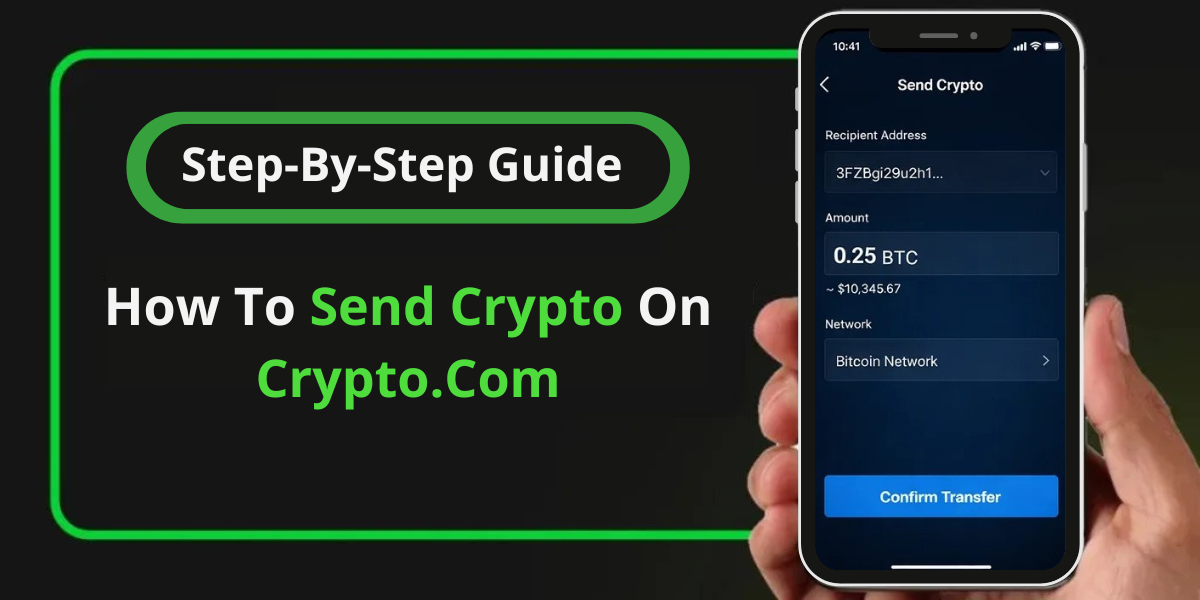
Step 4: Enter the amount and review
- Enter the amount you wish to send.
- Review:
- Network
- Address
- Fees
- Confirm the transaction
You’ll need to complete security verification (2FA by SMS or email confirmation).
Network Fees, Limits, and Processing Time
- Fees are contingent on the blockchain network.
- Crypto.com displays the fee before confirmation
- The congestion on networks can raise fees.
If your goal is to move funds out after sending crypto, this step-by-step guide on how to withdraw money from Crypto.com explains the withdrawal process, timelines, and common issues users face after transfers.
Processing Time
- Bitcoin: 10-60 mins (sometimes longer)
- Ethereum is a couple of seconds to a couple of
- Solana/Polygon: Usually from seconds to minutes
Common Mistakes When Send Crypto on Crypto.com (and How to Avoid Them)
1. Selecting the Wrong Network
Always confirm the recipient wallet supports the selected network.
2. Copy-Paste Errors
Even one incorrect character can send funds to the wrong address.
3. Sending Without a Memo/Tag
Some assets (like XRP, XLM) require a memo or tag.
4. Ignoring Whitelisting Delays
New addresses may have a waiting period before withdrawals are allowed.
Security Tips Before You Send Crypto on Crypto.com
- Enable two-factor authentication (2FA)
- Verify addresses manually
- Never rush large transfers
- Send a small test transaction first
- Avoid public Wi-Fi when making transactions
What to Do If a Crypto Transfer Is Pending or Failed
If your transaction is pending:
- Check the transaction ID (TXID)
- Look it up on the relevant blockchain explorer
- Confirm network congestion status
If the transfer fails or doesn’t appear:
- Ensure the transaction was actually broadcast
- Confirm address and network accuracy
- Check withdrawal status inside the app
How can I get in touch with Crypto.com Support for issues with sending
Crypto.com does not recommend using random phone numbers discovered on the internet. The most secure options for support are:
- Chat with support via the app
- Official Crypto.com Help Center
- Support tickets that include screenshots and TXID information
Clear transaction information aids in speeding resolution.
FAQ’s
Q.1: How to send crypto on Crypto.com?
Ans: To send crypto on Crypto.com, open the app, select your crypto wallet, tap Withdraw, choose an external wallet, and confirm the transaction.
Q.2:What is the reason the Crypto.com transaction is taking this long?
Ans: Security checks, network congestion, or delays in blockchain confirmation can be the cause.
Q.3 Does there exist a day-long limit on sending crypto?
Ans: Yes, limits vary based on the level of verification for your account and the type of asset.
Q.4:Can I revoke a crypto transfer?
Ans: No. Blockchain transactions cannot be reversed once verified.
Q.5:Are you able to transfer crypto via Crypto.com?
Ans: Yes, as long as you take appropriate security measures and verify all details prior to sending.
Conclusion
Learning how to send crypto on Crypto.com correctly is essential for avoiding costly mistakes. By selecting the right network, verifying wallet addresses, understanding fees, and following security best practices, users can transfer crypto confidently and safely.
If you encounter issues, make sure you rely solely on the official Crypto.com assistance channels as well as the blockchain transaction information. A few extra minutes to look over the details prior to confirmation of a transaction can protect you from enduring losses.